
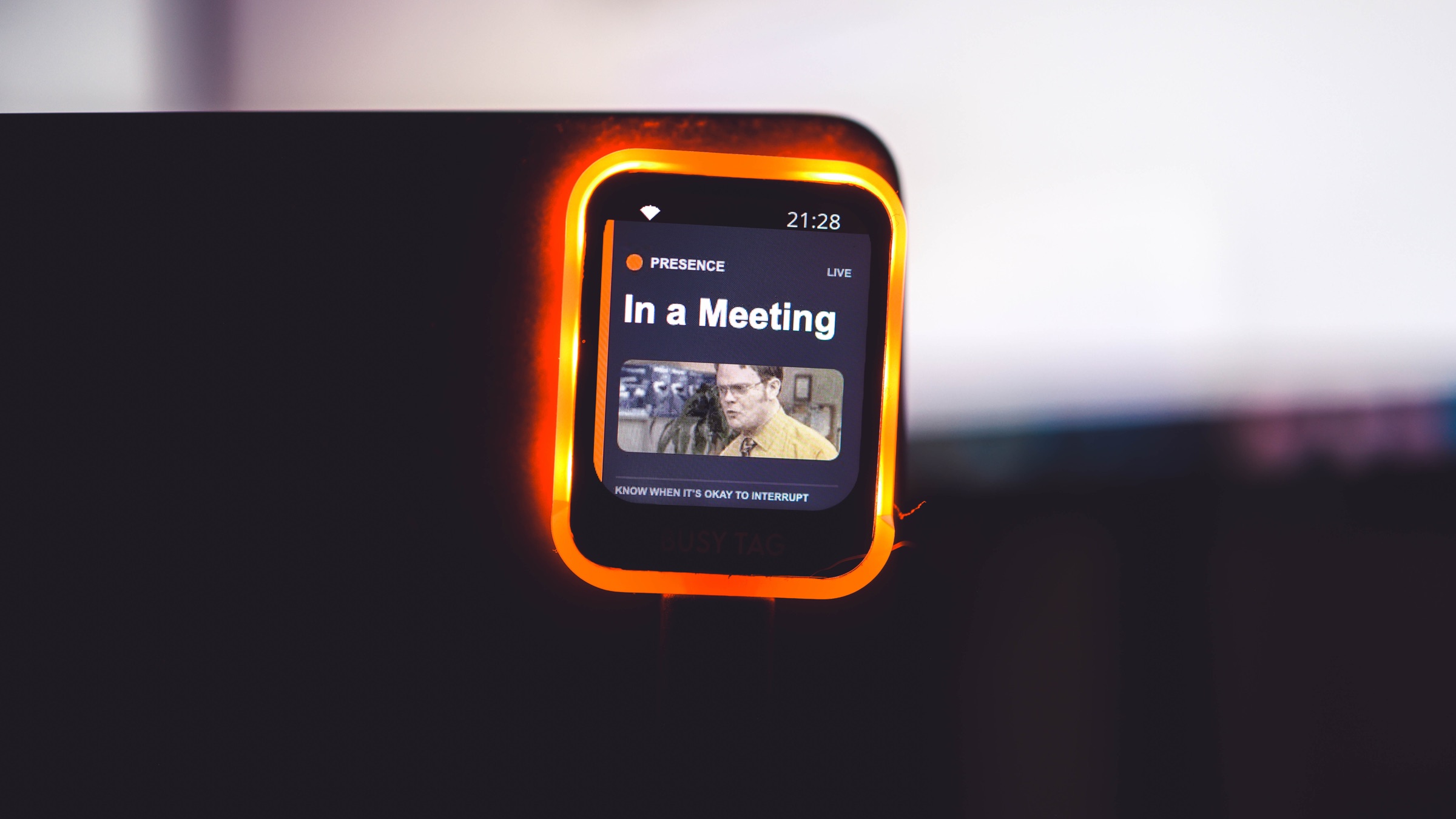
A few days ago, I started testing Presence on a BusyTag 2. Today, Presence for BusyTag is working—and I am moving the integration out of beta.
The idea sounds simple: take the final status Presence already resolves from calendars, meetings, calls, recording, Focus, work hours, location, and manual choices, then put that answer on a physical display.
The road from “simple idea” to “working on the desk” was not quite as simple.
The first version mostly taught me what was wrong
The screen began blank. Then it loaded Presence, but the logo sat underneath BusyTag’s clock and Wi-Fi indicators. A Busy status that should have made the edge LEDs red looked almost white with a hint of pink. GIFs appeared, but they were frozen like ordinary images.
Each problem was useful. The layout gained a safe area. Screen colors and physical LED colors were calibrated separately. The dashboard became the place to choose between a status message and a GIF. LED intensity moved there too. Finally, the animation pipeline was rebuilt so supported GIFs could be decoded into a compact loop the device could actually play.
A working integration is rarely one big breakthrough. It is a stack of small, honest corrections.
What works now
Presence for BusyTag now shows the resolved status, the privacy-safe public message or an assigned looping status GIF, an optional broad location, and the matching color around the edge of the device. LED intensity can be adjusted from the Presence dashboard without reopening the BusyTag settings.
The plugin also carries Presence branding and gives someone who discovers it inside BusyTag a clear path to create a Presence account.
One honest limitation
The BusyTag desktop app and connected computer need to remain running for live updates and animation. The device may keep showing its last image after disconnecting, but it cannot independently keep the Presence status current yet.
That is a real boundary, and it belongs in the launch story. “Live” should mean the integration does what it promises—not that every possible version of it has already been built.
The next hopeful step
I have sent the working plugin to the BusyTag team and asked whether they would consider listing Presence in their Integrations catalog. Presence for BusyTag is independently built, so that request is not an announcement of official approval. It is simply the next step toward making setup easier for the people who could use it.
After a lot of small corrections, the idea is now tangible: a little display on my desk can show the same privacy-safe answer Presence shares everywhere else—whether now is a good time to interrupt.